A Step-by-Step Guide to Redesigning Your WordPress Website
By WordPress Experts |
Many experienced WordPress developers have undergone multiple website redesigns and accumulated valuable insights throughout the process.
Each redesign project reveals effective strategies and common pitfalls when refreshing a WordPress site's appearance.
Business owners frequently express concerns about website redesigns. They recognize their site requires updating but fear potential disruptions. This apprehension is understandable, as modifying a functioning website carries inherent risks.
This comprehensive guide presents a proven methodology for WordPress website redesigns. You'll discover how to transform your WordPress site while maintaining business continuity.
The guide covers essential aspects including SEO preservation, content security, and avoiding typical redesign errors.
Determining When to Redesign Your WordPress Website
Consider redesigning your WordPress website when it no longer aligns with business objectives, appears outdated, or provides suboptimal user experience. Common indicators include slow loading speeds, poor conversion rates, unattractive design, or challenges implementing new features.
While design fatigue might prompt redesign considerations, the process requires significant time investment. Multiple factors warrant evaluation before initiating redesign work.
Primarily, ensure your website genuinely requires redesign rather than minor updates.
For example, declining website traffic often signals that your site fails to meet user expectations, suggesting redesign consideration.
First impressions significantly impact online perception. An antiquated appearance may negatively affect brand representation.
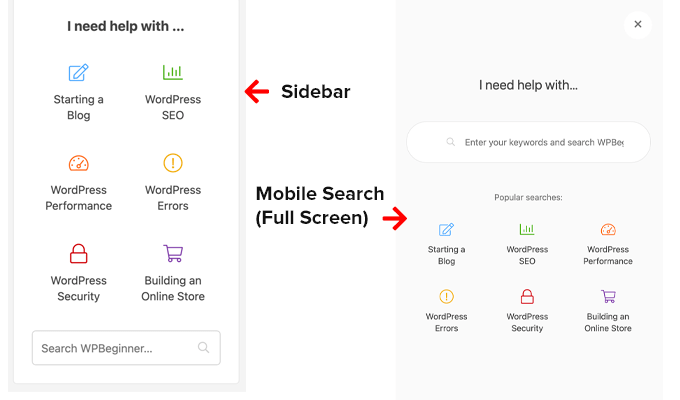
Poor user experience, such as visitors struggling to locate essential information, clearly indicates redesign necessity. Previous redesign projects have addressed this through enhanced content discoverability using strategic sidebar links and comprehensive navigation menus.
Website performance represents another crucial redesign consideration.
If optimization efforts fail to improve loading speeds or address core web vitals issues, your current WordPress theme might be overly complex, necessitating a more streamlined design approach.
Mobile responsiveness follows similar principles. If responsive design adjustments prove insufficient for mobile device compatibility, your theme may be outdated, requiring transition to a mobile-optimized alternative.
Website redesign becomes appropriate when your site no longer accurately represents brand identity or service offerings. Recent homepage updates have successfully enhanced authority representation within the WordPress community.
Finally, if your website underperforms in converting visitors to customers or subscribers, redesign implementation could improve financial outcomes and strengthen digital presence.
If multiple indicators apply, proceed confidently. The following section outlines a comprehensive WordPress website redesign checklist covering pre-design, implementation, and post-launch phases.
Use these navigation links to access specific steps:
- Collect Website Performance Data
- Run a WordPress Website Audit
- Choose Between Keeping Your Site Live or Putting It in Maintenance Mode
- Choose a WordPress Redesign Method
- Back Up Your WordPress Website
- Launch Your Site and Run Another Audit
- Continuously Maintain Your WordPress Site
- Frequently Asked Questions About Redesigning a WordPress Website
1. Collect Website Performance Data
You might question the necessity of performance data collection when already aware of traffic and conversion declines. However, quantitative confirmation remains essential.
Establishing performance benchmarks before redesign enables post-launch comparison, allowing measurement of redesign effectiveness.
Many WordPress professionals utilize analytics plugins for Google Analytics integration, providing essential performance metrics directly within WordPress administration panels.
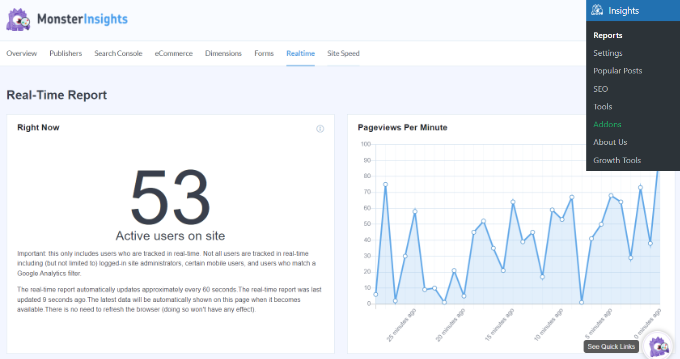
For WordPress website redesigns, consider these marketing metrics as performance benchmarks:
- Overall traffic– Total visitor count, indicating website reach and redesign impact on visibility.
- Bounce rate– Percentage of single-page visitors, reflecting user engagement and site speed improvements.
- Conversion rate– Percentage completing desired actions, measuring redesign effectiveness for goal achievement.
- Top performing pages– Most viewed pages, guiding content preservation and audience preference understanding.
- Top traffic sources– Visitor origins (search engines, social platforms), informing channel-specific design optimization.
- Average session duration– Typical visit length, indicating content value enhancement through redesign.
- Page views per session– Average pages viewed per visit, suggesting navigation improvement and content exploration encouragement.
- Mobile vs desktop traffic split– Device usage proportions, guiding redesign focus toward predominant access methods.
Additional resources cover essential WordPress site metrics for comprehensive tracking.
Some analytics solutions include conversational interfaces for rapid data queries.
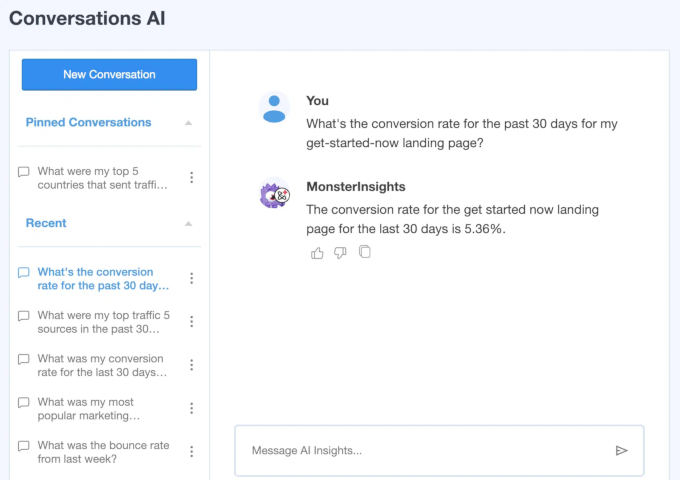
For instance, asking "What was my conversion rate last month?" provides immediate access to essential information without navigating complex analytics reports.
2. Run a WordPress Website Audit
Before initiating WordPress redesign, understand the factors influencing previously collected performance metrics. This understanding informs decisions regarding modifications and preservation.
Website audits provide necessary insights through systematic evaluation of existing website user experience.
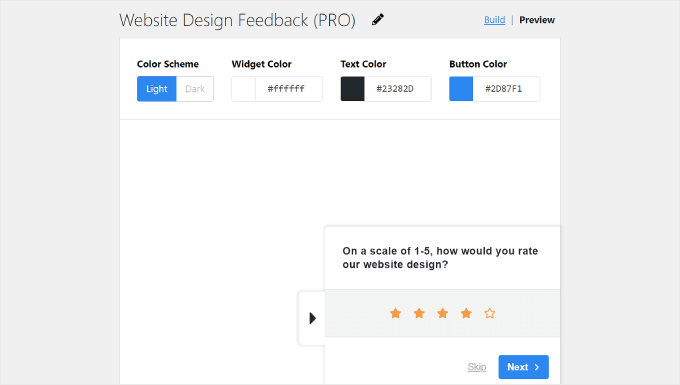
Direct user feedback collection proves valuable for understanding needs, preferences, and challenges.
Survey plugins facilitate visitor opinion collection through website-integrated questionnaires. Many developers implement such solutions for user experience optimization.
Comprehensive guides address website design feedback collection in WordPress, including curated user experience question lists for visitor surveys.