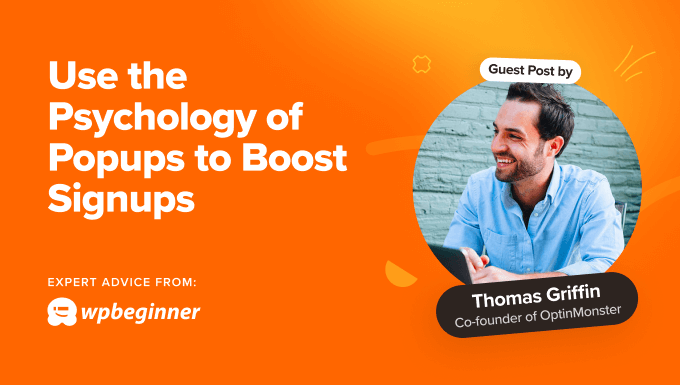
Leveraging Psychological Principles to Enhance Popup Conversions for WordPress Sites
By many WordPress experts |
Having worked with popup strategies for many years, I've observed that they remain one of the most powerful tools for encouraging user engagement and generating leads online.
Applying psychological concepts within your popup designs is essential for capturing attention and guiding visitor behavior. This approach helps create popups that provide genuine value to users rather than creating frustration.
Below are several proven methods that utilize psychological principles to significantly increase subscription rates.
This article explores multiple key areas, and you can navigate between sections using the links below:
- Adjust Popup Timing to Minimize Intrusiveness
- Customize Popups According to Visitor Behavior
- Establish Trust Through Social Proof
- Encourage Action with Scarcity and Urgency
- Create Anticipation with Fear of Missing Out (FOMO)
- Motivate Users Through Emotional Connection
- Employ Color Psychology to Draw Focus
1. Adjust Popup Timing to Minimize Intrusiveness
Consider entering a retail store where an associate immediately approaches you with product suggestions, then continues to offer additional recommendations during your visit. While well-intentioned, this approach often feels aggressive and disruptive.
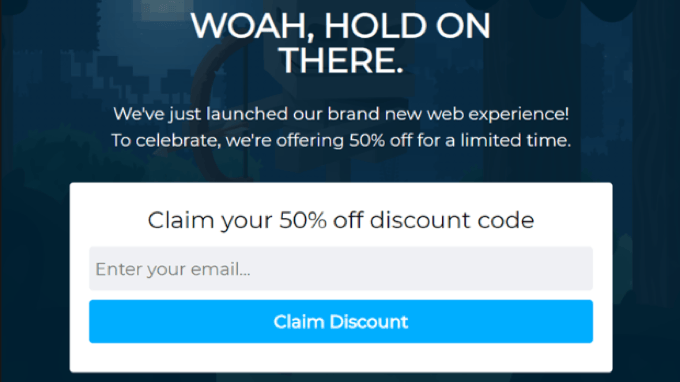
Similar situations can occur with website popups, but they can be avoided. Displaying helpful popup content only when visitors are prepared enhances user experience and improves conversion rates.
This concept relates to the psychological principle known as 'pattern interrupt.' An unexpected popup can break the visitor's browsing flow and redirect their attention, much like a store associate's approach.
For popups to be received positively, there must be equilibrium between being disruptive and offering valuable information. This makes timing a critical factor.
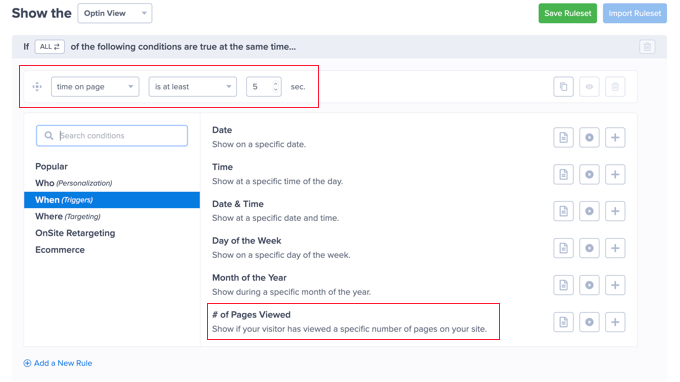
Leading popup marketing platforms enable you to establish sophisticated targeting rules. These rules allow you to present customized campaigns to users based on various triggers and conditions.
For instance, time-based rules can activate a popup after a user spends specific time on your WordPress site or particular page, or after visiting a certain number of pages. Alternatively, scroll distance rules can trigger popups when visitors scroll a predetermined distance down the page.
Advanced tools can utilize inactivity sensors to measure how long users remain inactive, or exit-intent technology to detect when they are about to leave your website.
Implementing these strategies has enabled numerous online businesses to more than double their subscription rates, making it worthwhile to experiment with different timing configurations for your specific needs.
2. Customize Popups According to Visitor Behavior
Research indicates that approximately 74% of visitors anticipate personalized content, which can increase conversions by about 42%.
Personalization represents a significant psychological principle, and adapting your popups to match users' interests and behavioral patterns makes them more relevant and compelling.
The primary challenge emerges when using popups for lead generation: you typically lack personal information about new visitors, making customization difficult.
This is where personalized triggers become particularly valuable.
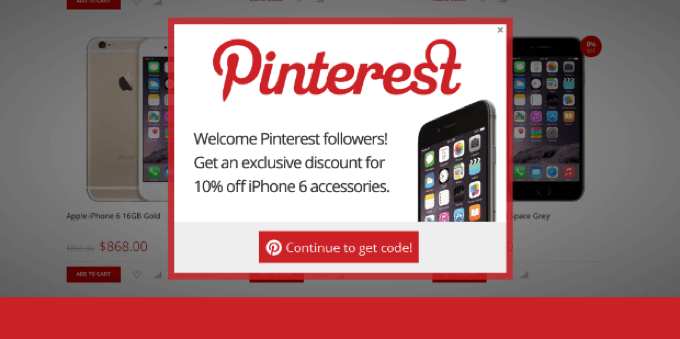
For example, referral detection features can identify where visitors originated before reaching your site. You can then display customized popups for users arriving from specific domains.
If you receive substantial traffic from social platforms, you could create targeted popups offering discounts for newsletter subscriptions.
You can also trigger popups based on the specific page visitors are viewing. That page provides insights into visitor preferences, allowing you to display popups aligned with the page topic or featured products, effectively encouraging engagement.
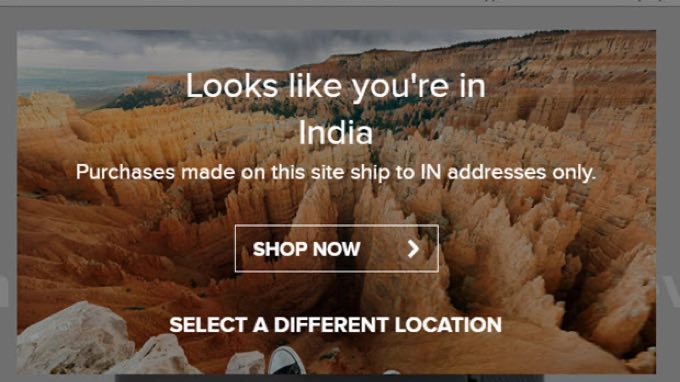
Another approach involves personalizing content according to visitor location. Approximately 80% of marketing professionals utilize location-based personalization with positive outcomes.
After users subscribe to your newsletter, you can implement more advanced personalization. Many popup tools can access collected personal data, including names, gender, age, birthdays, and other information.
This enables you to create highly personalized popups, such as addressing customers by name, by incorporating this information using smart tags.
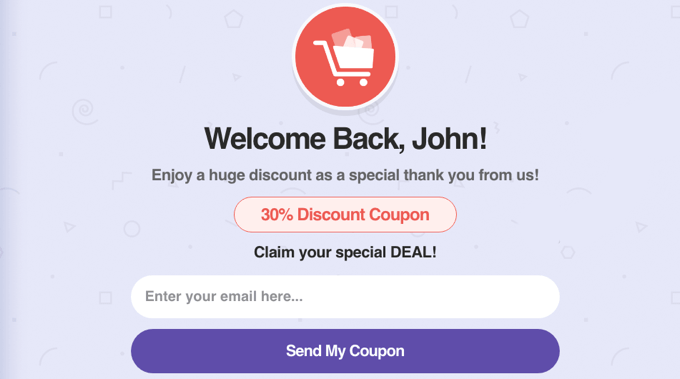
Beyond personalized triggers, I recommend analyzing visitor behavior by tracking user journeys with analytics tools.
For instance, you can identify which pages specific users view before completing subscription forms.
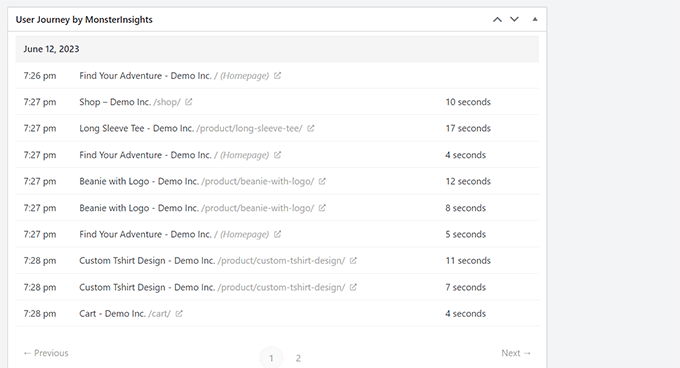
This reveals which forms or pages generate the most subscriptions, how much time users spend on your site before subscribing, how far they scroll, and how much engagement your videos receive.
You can then apply this information when determining where and when to display popups, and optimize your highest-performing pages to increase organic traffic and leads.
3. Establish Trust Through Social Proof
When uncertain about decisions, people frequently observe what others are doing. This phenomenon is known as social proof.
It represents a natural decision-making mechanism where individuals determine value based on others' actions. Essentially, seeing others take action makes people more likely to follow suit, serving as a mental shortcut for evaluation.
This explains why people tend to follow Twitter accounts with numerous followers, watch films with positive user reviews, or choose restaurants with waiting lines over empty establishments.
You can incorporate social proof into website popups by including user testimonials. This helps build trust and credibility quickly, influencing users toward conversion.
The simplest approach to implementing social proof involves displaying your current subscriber count, providing immediate credibility for your newsletter.