
Integrating Alipay Payment Solutions for WordPress Sites: Two Practical Approaches
By WordPress Experts |
Expanding your e-commerce reach to Chinese markets requires offering Alipay as a payment option. This digital wallet serves over one billion active users and has become essential for businesses targeting customers in China and surrounding regions. Many shoppers will abandon purchases if their preferred payment method isn't available.
Numerous WordPress site owners have reported significant sales growth after implementing Alipay alongside their existing payment gateways. This addition simplifies the checkout process for international customers and builds credibility with a substantial new audience.
This guide provides detailed instructions for integrating Alipay payment processing into WordPress platforms, enabling broader market access and revenue expansion.
Benefits of Implementing Alipay for WordPress Sites
Integrating Alipay payment processing allows access to China's massive user base, where this payment method dominates digital transactions. This implementation can increase conversion rates by providing familiar and trusted checkout options for international customers.
When shoppers encounter their preferred payment method during checkout, they demonstrate higher completion rates. This reduces friction in the purchasing process and encourages Alipay users to finalize transactions more readily.
Alipay functions as a comprehensive payment application facilitating online money transfers. While particularly dominant in Chinese markets, its usage has expanded significantly across Singapore, Malaysia, Hong Kong, and various global regions.
Beyond international consumers, many domestic businesses engaged in wholesale purchasing and dropshipping operations utilize Alipay extensively. This preference stems from Alipay's status as the primary payment system for major e-commerce platforms like Alibaba and AliExpress.
Providing diverse payment options consistently correlates with improved sales performance. With this principle in mind, we present two distinct methods for implementing Alipay payment processing.
You can navigate directly to your preferred implementation method:
- Method 1: Process Alipay Transactions Using WP Simple Pay
- Method 2: Enable WooCommerce Alipay Payments Using Stripe Integration
- Common Questions About Alipay Integration for WordPress
Let's begin the implementation process.
Method 1: Process Alipay Transactions Using WP Simple Pay
This approach utilizes WP Simple Pay, a widely recognized Stripe integration plugin. This solution enables payment processing without requiring complex API configurations on your website.
During testing, this plugin demonstrated seamless integration with Stripe's payment infrastructure, allowing businesses using Stripe to accommodate customers preferring Alipay transactions.
The basic version of WP Simple Pay supports Alipay payment processing at no cost. For most commercial applications, the professional version offers enhanced functionality including multiple payment method support, recurring billing capabilities, flexible payment plans, and advanced form customization tools.
This tutorial utilizes the professional edition to demonstrate comprehensive payment form creation for Alipay transactions. The fundamental process remains identical with the free version, though feature availability differs.
Step 1: Install and Activate WP Simple Pay
Begin by installing and activating the WP Simple Pay plugin on your WordPress installation.
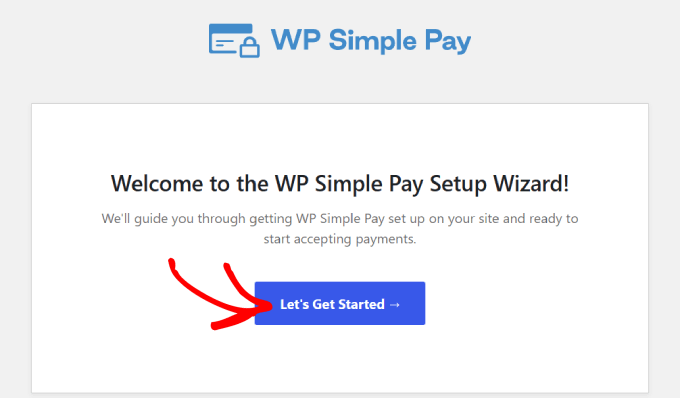
Following activation, the plugin automatically initiates its setup wizard. Proceed by selecting the 'Let's Get Started' option.
Step 2: Complete the Setup Wizard
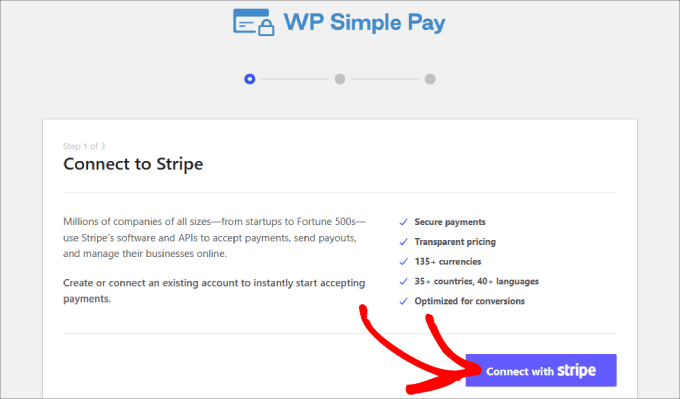
The subsequent step requires either creating a new Stripe account or connecting to an existing one. Select the 'Connect with Stripe' button to advance.
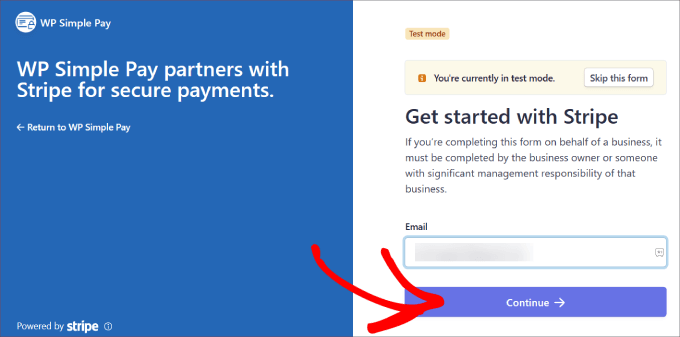
If you maintain an existing Stripe account, enter your registered email address and select 'Continue.'
This action integrates your Stripe account data with your website, ensuring all processed payments route directly to your Stripe account.
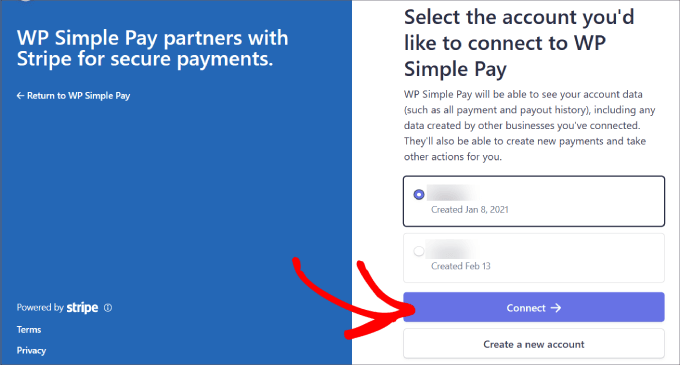
You'll then need to identify your specific Stripe account from the available options.
Select 'Connect' after choosing the appropriate account. Alternatively, you can establish a new account through this interface.
Step 3: Create a Form to Accept Alipay Payments
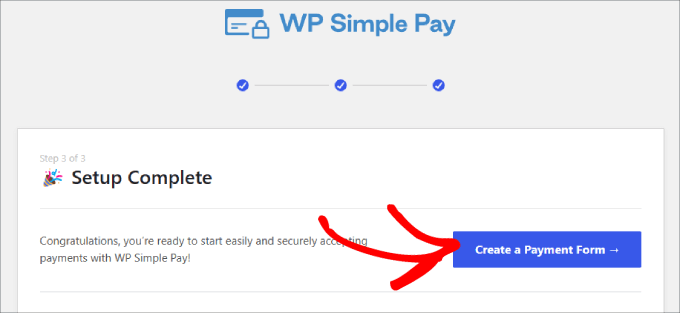
After successfully connecting your Stripe account, proceed to create a payment form.
Select the 'Create a Payment Form' button to continue.
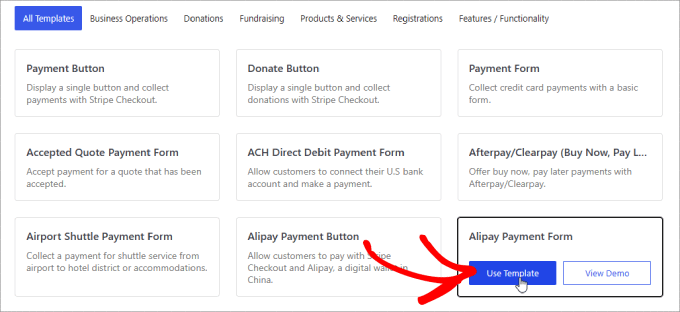
You'll access a template library containing numerous pre-designed form templates.
Locate the 'Alipay Payment Form' template and select 'Use Template.'
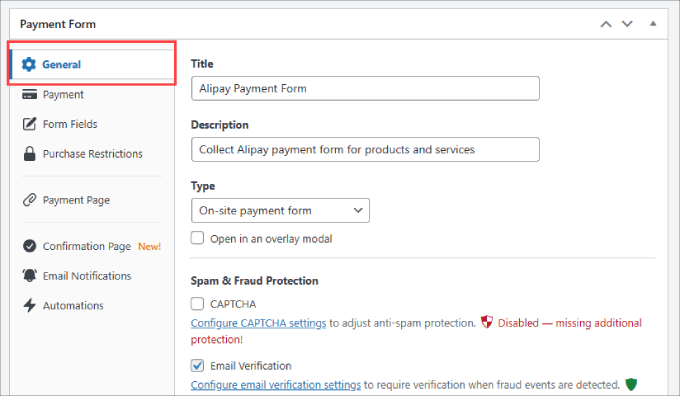
Template selection directs you to an intuitive drag-and-drop form builder interface.
The General settings section allows customization of form titles, descriptions, form types, and additional parameters.
Additional security options include CAPTCHA implementation and email verification features to minimize fraudulent transactions.
The Confirmation Page configuration determines where users redirect after form completion.
By default, the system displays a customized success page following payment processing.
Alternatively, you can select 'Custom Page' to direct customers to a specific page within your WordPress installation. This presents opportunities for thank-you messages and potential upselling initiatives.
For external redirection, choose 'External URL.' You can also customize payment success messages to acknowledge transactions and communicate subsequent steps.