Implementing Frequently Bought Together Product Recommendations in WooCommerce
Have you ever observed how certain online retailers appear to anticipate customer needs when presenting complementary items?
While browsing a particular product, you might notice suggestions for accessories, related items, or complete bundles that enhance the original purchase.
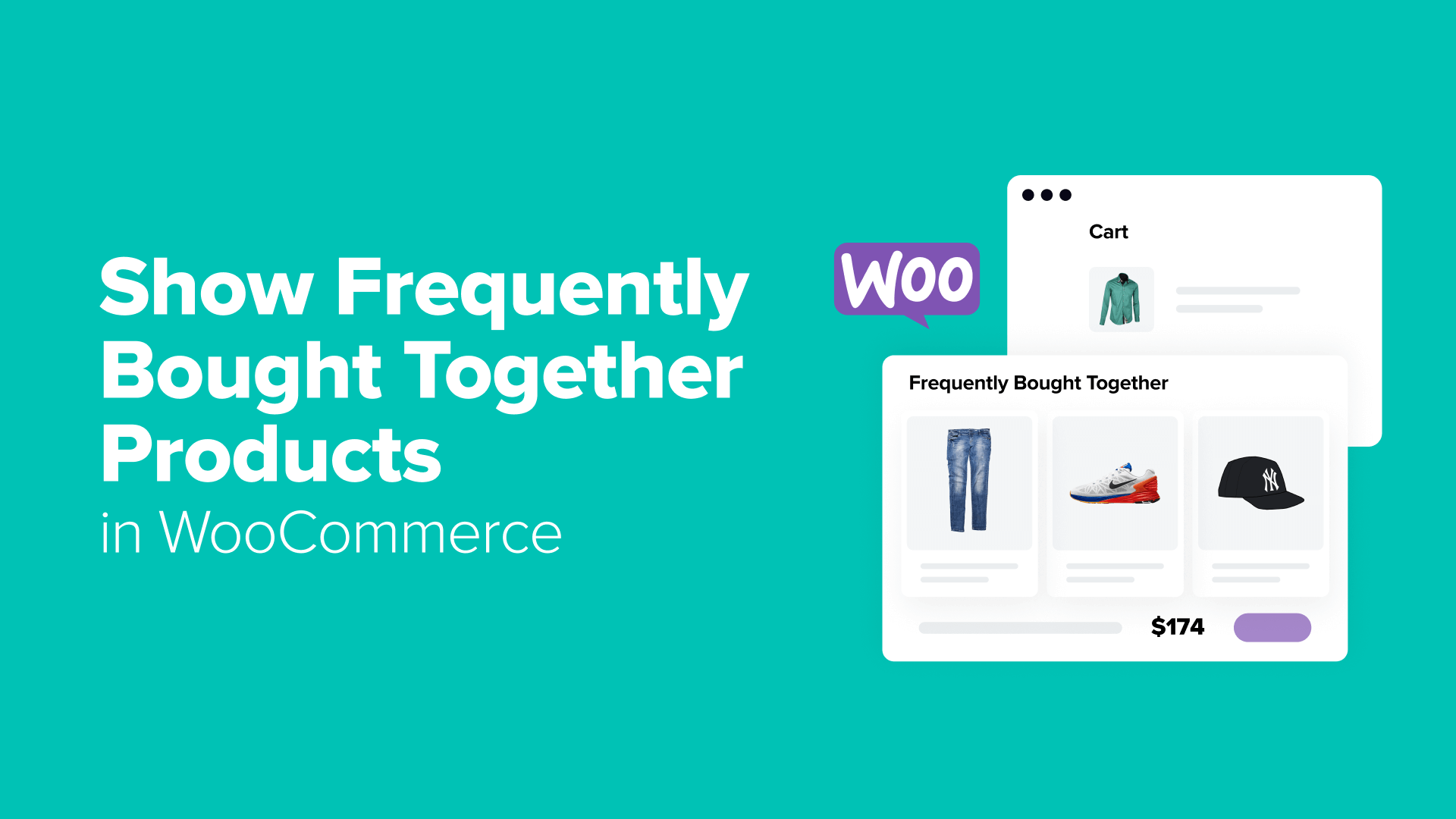
This strategic approach represents a sophisticated marketing technique known as "frequently bought together" product recommendations.
Many e-commerce professionals utilize similar methodologies when presenting product suites or complementary offerings. When customers consider individual items, displaying complete packages alongside them demonstrates enhanced value propositions.
Industry data indicates this strategy significantly impacts sales performance and increases average order values across various e-commerce platforms.
This comprehensive guide explores multiple approaches for implementing frequently bought together product recommendations within WooCommerce stores.
Strategic Placement for Frequently Bought Together Recommendations
Optimizing product recommendation placement represents a crucial aspect of e-commerce strategy. Research indicates that personalized suggestions can contribute substantially to overall store revenue.
The most effective locations for displaying frequently purchased combinations include:
- Product Detail Pages– When customers actively research specific items, presenting complementary products and accessories represents an optimal opportunity for cross-selling.
- Shopping Cart Interface– Visitors reviewing their selected items demonstrate purchase intent, making them receptive to additional product suggestions that complement their current selections.
- Checkout Process– This final interaction point provides opportunities to increase transaction values through strategically placed recommendations, similar to impulse purchase displays in physical retail environments.
- Contextual Overlays– These dynamic elements can appear throughout the browsing experience, targeting customers based on navigation patterns and current cart contents.
Continue reading to explore implementation methods for WooCommerce product recommendations.
Methods for Displaying Frequently Bought Together Products in WooCommerce
WooCommerce provides multiple approaches for establishing frequently purchased product combinations. Store administrators often consider various factors when selecting appropriate solutions.
Several implementation strategies exist, each with distinct advantages:
The most straightforward approach utilizes WooCommerce's integrated linked product functionality, requiring no additional extensions or financial investment.
For enhanced customization capabilities, specialized funnel building tools offer advanced features for creating tailored checkout experiences and dynamic cart interfaces that display complementary products.
Alternatively, dedicated recommendation plugins can enhance the visual presentation of product suggestions while maintaining core WooCommerce functionality.
Interactive notification systems represent another option for presenting product recommendations at strategic moments, potentially incorporating customer behavior analysis and review data.
The following sections detail specific implementation approaches:
- Method 1: Utilize WooCommerce Linked Products Feature
- Method 2: Implement Funnel Building Solutions
- Method 3: Employ Dedicated Recommendation Plugins
- Method 4: Configure Interactive Notification Systems
- Implementation Considerations
Method 1: Utilize WooCommerce Linked Products Feature
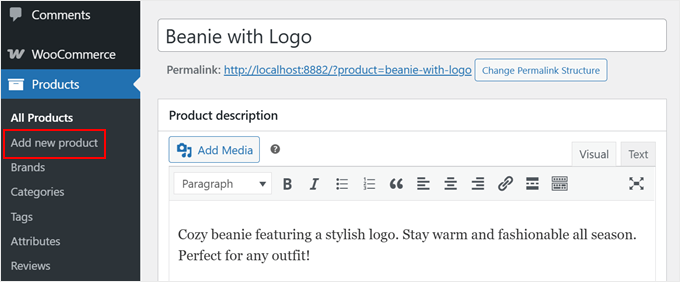
Begin by navigating to the product management section within the WordPress administration interface. Either create new product entries or modify existing items to establish frequently purchased combinations.
Locate the product configuration section and select the linked products tab to establish product relationships.
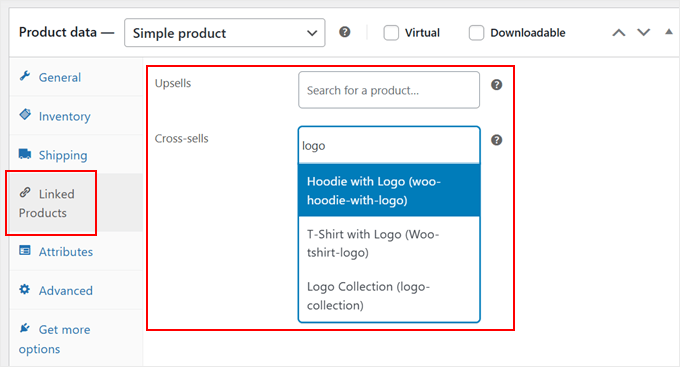
WooCommerce incorporates two primary linking methodologies with distinct applications:
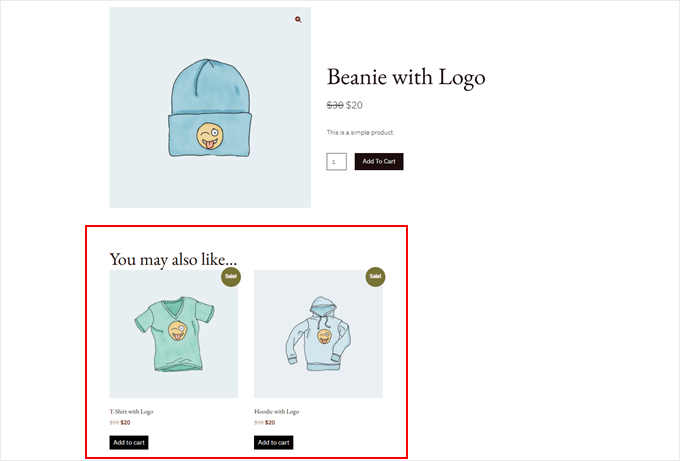
Upsell Recommendations suggest premium alternatives or enhanced versions of currently viewed products. These typically appear within designated recommendation sections on product pages.
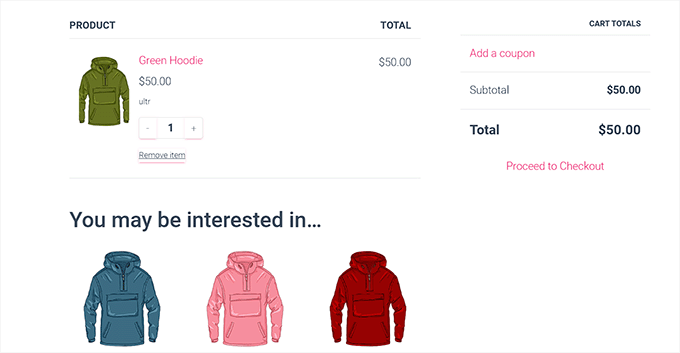
Cross-sell Suggestions present complementary items that enhance products already present in shopping carts. These recommendations typically display during cart review processes.
Both recommendation types utilize product search functionality for establishing relationships. Administrators can continue configuring additional product details including:
- Question and answer sections
- Image galleries and visual content
- Categorization and attribute assignment
- Multimedia integration
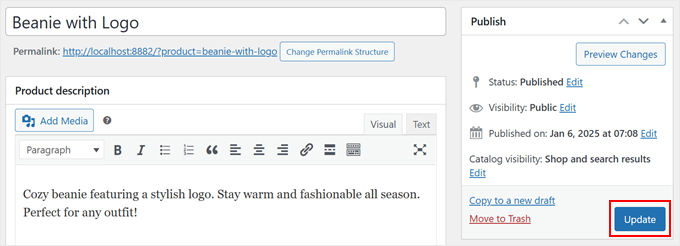
Once configuration completes, publish or update product entries to activate recommendation functionality.
Method 2: Implement Funnel Building Solutions
Advanced sales funnel tools provide enhanced control over e-commerce customer journeys and product presentation. These solutions enable creation of customized shopping experiences within WooCommerce environments.
Experienced developers frequently recommend funnel building platforms for implementing sophisticated product recommendation strategies with greater customization capabilities.
Two primary approaches exist for presenting product suggestions through funnel solutions. The first involves dynamic cart interfaces that accompany customers throughout browsing sessions.
When visitors add items to their carts, interactive cart elements appear with strategically selected complementary products, mimicking personalized shopping assistance.
The second methodology targets checkout processes through strategic placement of additional offers. This approach resembles impulse purchase displays in physical retail environments, with enhanced personalization based on current cart contents.
Both techniques can operate independently or in combination to optimize sales performance. Implementation typically requires several specialized components:
- Core funnel building functionality for creating customized sales pathways
- Interactive cart features for dynamic product presentation
- Advanced functionality for strategic offer placement during checkout processes
Following installation and activation of necessary components, administrators can access funnel configuration interfaces to establish recommendation systems.