Essential Strategies for DuckDuckGo SEO Optimization on WordPress Sites
By Editorial Team |
Are you interested in improving your website's visibility on DuckDuckGo?
While Google maintains its position as the dominant search engine, DuckDuckGo continues to expand globally due to its strong privacy-focused approach. This presents a valuable opportunity to enhance your site's discoverability and capture organic traffic from this growing platform.
This guide will walk you through practical methods to optimize your WordPress website for DuckDuckGo search results.
Understanding the DuckDuckGo Search Engine
DuckDuckGo, often abbreviated as DDG, operates as a privacy-centric search platform. It ensures user anonymity by not storing search history or tracking personal information, distinguishing it from competitors that utilize user data for personalized results and advertising.
The platform employs a web crawler named DuckDuckBot to index web content. Its algorithm operates without tracking IP addresses or sharing personal information with external parties, resulting in consistent search results for all users regardless of their search history.
DuckDuckGo supplements its search results with information from other search engine indexes (excluding Google) and established sources like Amazon for shopping results and Wikipedia for general knowledge queries.
The Importance of DuckDuckGo SEO for WordPress Sites
Implementing DuckDuckGo optimization strategies benefits both WordPress bloggers and business owners seeking to expand their online reach.
Growing privacy concerns have contributed to DuckDuckGo's increasing popularity, with the platform currently holding approximately 2% market share in the United States, positioning it as the third most used search engine after Google and Bing.
Since DuckDuckGo prioritizes user privacy above other considerations, optimizing for this platform can help you connect with audiences who value data protection, particularly if privacy aligns with your brand values or product offerings.
Furthermore, fundamental SEO principles remain consistent across search platforms. Techniques that prove effective for DuckDuckGo typically yield positive results with Google, Bing, and other search engines, allowing you to enhance visibility across multiple platforms simultaneously.
Ultimately, DuckDuckGo optimization focuses on creating user-friendly experiences for both visitors and search engines, which can lead to increased page views and reduced bounce rates.
With these considerations in mind, let's explore specific strategies for optimizing your WordPress site for DuckDuckGo. You can navigate directly to specific topics using the links below:
- Prioritize User Experience
- Implement Strategic Keyword Optimization
- Submit XML Sitemaps to Bing Webmaster Tools
- Build Presence on Third-Party Platforms
- Optimize Local SEO for DuckDuckGo
- List Your Business on Apple Maps
- Acquire High-Quality Backlinks
1. Prioritize User Experience
While user experience matters for all search platforms, it holds particular significance for DuckDuckGo optimization.
DuckDuckGo users typically prioritize privacy and security, expecting websites to protect their data from tracking, storage, or third-party sharing.
To meet these expectations, your website should implement GDPR (General Data Protection Regulation) compliance measures, including:
- Implementing cookie consent mechanisms
- Displaying a comprehensive Privacy Policy
- Utilizing PCI-compliant payment processing for online transactions
WordPress users can consult various resources about GDPR compliance and explore available plugins designed to facilitate compliance.
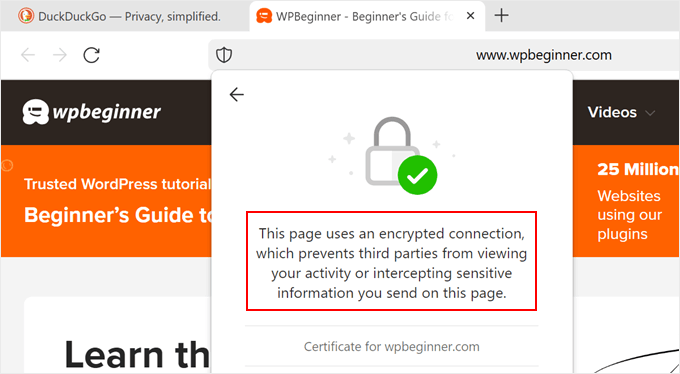
Additionally, implementing an SSL certificate encrypts connections between your server and visitors' browsers while signaling that user data remains protected from unauthorized access.
Numerous guides exist to help WordPress users transition their sites from HTTP to HTTPS protocols.
Beyond privacy considerations, you can enhance user experience by optimizing site speed and ensuring seamless navigation across desktop, tablet, and mobile devices. Consider exploring resources covering:
- Comprehensive WordPress performance optimization
- User experience auditing techniques
- WordPress security best practices
- Essential website metrics for performance evaluation
2. Implement Strategic Keyword Optimization
Keyword optimization remains crucial for DuckDuckGo, as with other search engines. Since the platform doesn't track user data or website metadata, search results prioritize content relevance to search queries.
Begin with thorough keyword research to understand whether users search for your content type and which terms they employ. Various free and paid tools can assist with this process, and numerous comprehensive guides exist for WordPress bloggers seeking to master keyword research techniques.
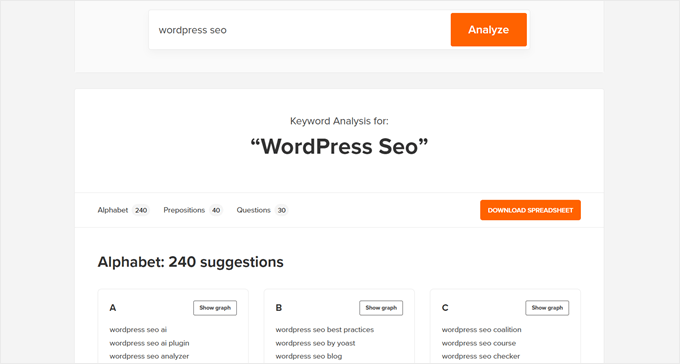
Once you've identified relevant keywords, incorporate them strategically throughout your content, particularly in introductory paragraphs and headings.
Avoid excessive keyword usage, commonly known as keyword stuffing. High-quality content integrates keywords naturally, maintaining readability and value for human readers.
WordPress users can employ SEO plugins to monitor keyword density and ensure optimal keyword implementation. These tools typically allow you to specify focus keyphrases and provide feedback on keyword usage within your content.
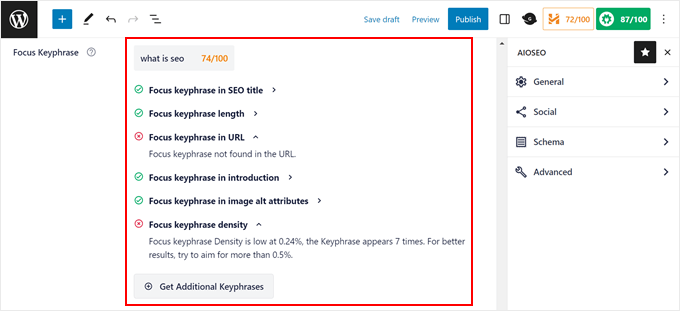
Additional resources exist to guide bloggers through comprehensive SEO optimization for individual posts and pages.
3. Submit XML Sitemaps to Bing Webmaster Tools
XML sitemaps function as website roadmaps, listing important URLs and guiding search engines to content that might not be easily discoverable through internal linking structures.
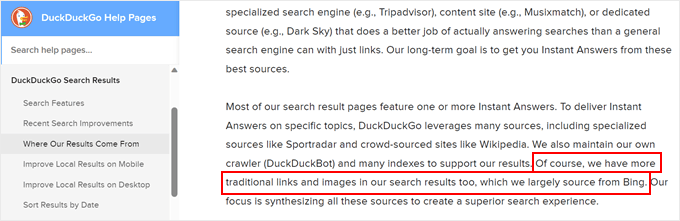
Typically, website owners create XML sitemaps and submit them to search console tools to facilitate faster indexing. While DuckDuckGo doesn't offer its own submission tool, it sources information primarily from Bing's index.
Therefore, creating and submitting XML sitemaps to Bing Webmaster Tools can improve your visibility on DuckDuckGo.
WordPress has included basic XML sitemap functionality since version 5.5. You can typically access your sitemap by appending /wp-sitemap.xml to your domain name.
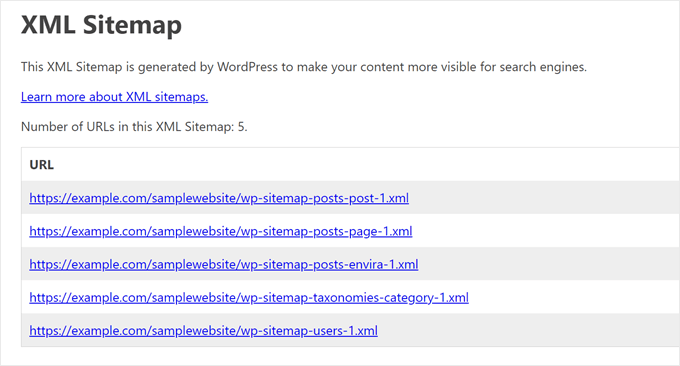
However, these default sitemaps offer limited customization options. Sometimes you may need to modify sitemaps to exclude duplicate or unnecessary content that could confuse search engines.


