A Step-by-Step Guide to Launching Your Online Thrift Store with WordPress and WooCommerce
By Editorial Team |
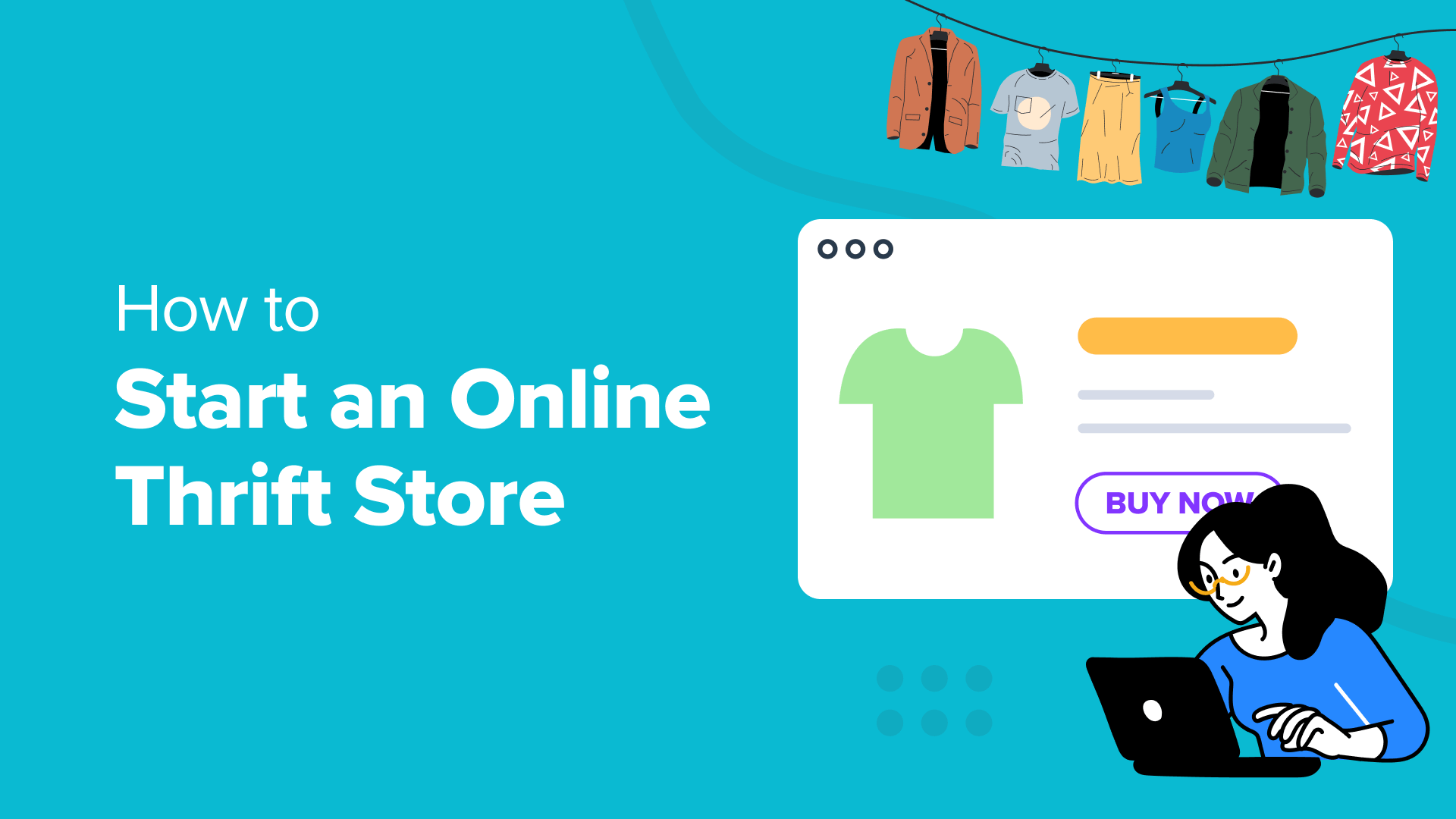
The online resale market continues to expand rapidly, making this an ideal time to establish your own thrift store website. Operating a digital thrift shop has become increasingly popular due to its straightforward management and accessibility.
Many aspiring entrepreneurs express interest in starting online businesses but feel uncertain about developing new products or investing heavily in inventory. Selling pre-owned items through an online thrift store presents an excellent alternative that addresses these concerns.
This comprehensive guide will walk you through the process of creating and launching your online thrift store using WordPress.
Understanding Online Thrift Stores
An online thrift store operates as an eCommerce business specializing in previously owned items. These can include clothing, electronics, furniture, books, toys, vehicles, and various other products offered at discounted prices.
One significant advantage of starting a digital thrift store is the minimal initial investment required. You don't need substantial capital to purchase and maintain inventory, and establishing an eCommerce website remains affordable.
Consider this scenario: you own an expensive dress that no longer fits properly. Rather than discarding it, you could clean the garment and list it for sale online.
Beyond environmental benefits, operating an online thrift store serves as an effective side business for generating additional income. You can begin modestly and gradually expand your operations as your experience grows.
Essential Requirements for Your Online Thrift Store
Many people mistakenly believe that launching an online store involves excessive complexity. In reality, the process proves simpler than most anticipate.
You'll need three fundamental components to begin:
- Domain Name– This represents your thrift store's web address that customers will enter into their browsers. Think of it as your business's digital street address.
- Web Hosting Service– This service provides the virtual space where your website resides on the internet and stores all your website files. Consider it the building that houses your online thrift store.
- SSL Certificate– This security feature encrypts data transmitted between your website and customers, enabling secure online payment processing.
The process remains remarkably straightforward.
You can establish your online thrift store without technical expertise, coding knowledge, or complicated configurations.
We'll guide you through each step systematically. Use the links below to navigate directly to specific sections:
- Selecting an eCommerce Platform for Your Thrift Store
- Choosing Web Hosting and Installing WordPress
- Configuring WooCommerce on Your Website
- Personalizing Your WordPress Thrift Store Theme
- Adding Products to Your Online Thrift Store
- Finding Products for Your Thrift Store
- Incorporating Plugins to Increase Traffic and Boost Sales
Selecting an eCommerce Platform for Your Thrift Store
The initial and most critical decision involves choosing the appropriate platform for your online thrift store.
Selecting an unsuitable eCommerce platform can become an expensive error for new store owners. Transitioning to a different service later would require redoing all your work and incurring additional costs.
To prevent this situation, we'll provide guidance.
Two popular eCommerce platforms work well for online thrift stores: Shopify and WooCommerce (built on WordPress).
Shopify functions as a fully hosted eCommerce solution that enables rapid online store creation.
However, its pricing structure represents a significant limitation. The service costs approximately $25 monthly, which may prove expensive for individuals and small business operators. You also receive limited payment options unless you pay additional fees.
This explains why numerous users prefer WordPress combined with WooCommerce. This combination offers greater flexibility and cost efficiency compared to Shopify. While WooCommerce requires some initial configuration, the long-term benefits justify the effort.
For this tutorial, we'll demonstrate how to launch your online thrift store using WooCommerce with WordPress.
Choosing Web Hosting and Installing WordPress
As previously mentioned, you'll need a domain name, web hosting service, and SSL certificate to create your online thrift store.
When purchased separately, a domain name typically costs about $14.99 annually, web hosting averages $7.99 monthly, and an SSL certificate runs approximately $69.99 yearly.
These expenses can increase significantly if you add extra features and enhancements to your hosting package.
Many hosting providers offer bundled packages that include these essential components. Several reputable companies provide WordPress-optimized hosting solutions with straightforward installation processes.
When selecting a hosting provider, consider those officially recommended by WordPress. These services typically include one-click WordPress installation, making the setup process exceptionally simple.
Begin by visiting your chosen hosting provider's website and locating their signup or registration section.
Next, you'll need to choose a pricing plan.
Basic plans typically start around $2.99 monthly, while more comprehensive eCommerce plans may cost approximately $13.99 monthly. Enhanced plans often include specialized store themes, analytical tools, and valuable eCommerce plugins.
For demonstration purposes, we'll select an eCommerce-focused hosting plan.
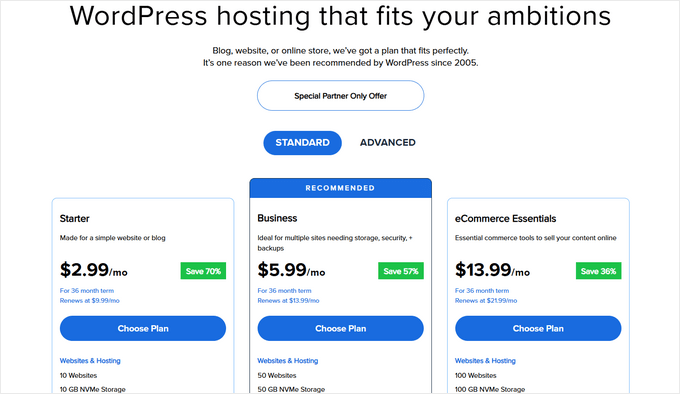
Your hosting provider will then request a name for your online thrift store.
If you haven't selected a domain, enter your preferred website name in the provided field, choose a domain extension, and proceed with the domain search.
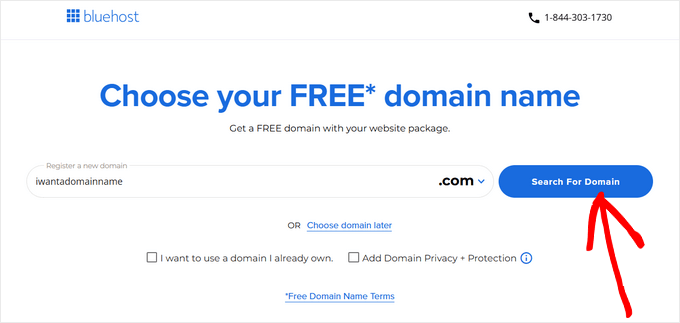
Ensure your domain name relates to your business, remains easy to pronounce and spell, and proves memorable. Whenever possible, select a domain with the '.com' extension.
Following domain selection, you'll provide personal details including name, address, email, and other information to establish your account.
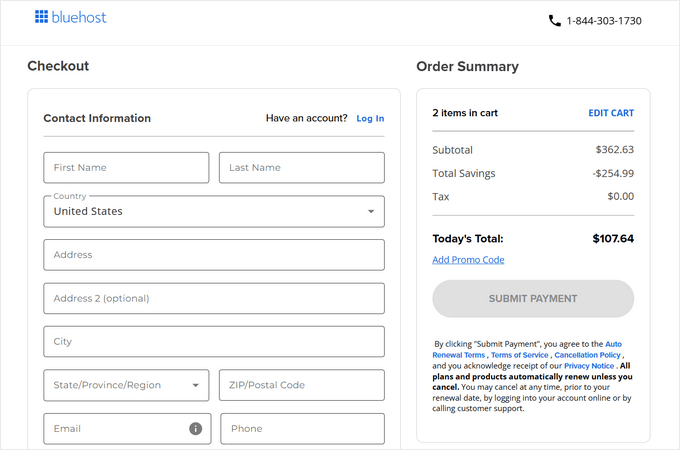
Finally, you'll enter payment information to complete your purchase.
After completing the transaction, your hosting provider will present an account dashboard where you can manage your websites.
Most reputable hosting services offer one-click WordPress installation. If your provider includes this feature, you can typically locate it within your account dashboard under website management sections.
For example, many hosting dashboards include a 'Websites' tab where you can click an 'Add Site' button in the upper corner.
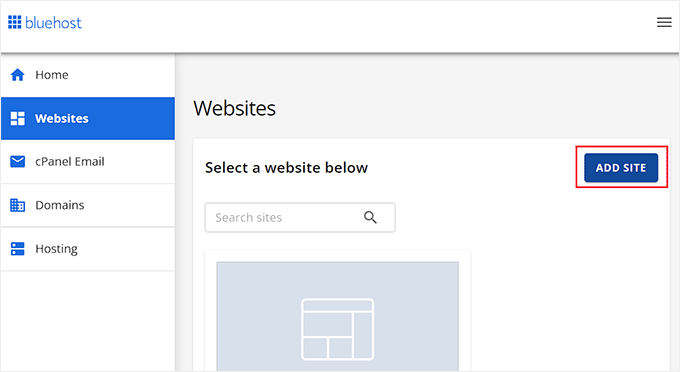
This action typically launches the WordPress setup wizard within your hosting environment.
You can select the 'Install WordPress' option and proceed by clicking the 'Continue' button.
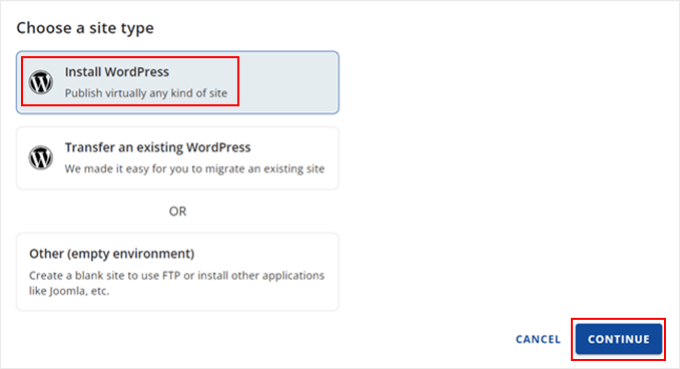
You'll then be prompted to enter a name for your online thrift store website.
After providing a title, click the 'Continue' button to proceed with installation.