A Beginner's Guide to Selling Canva Templates on Your WordPress Site
Many WordPress users are discovering that selling Canva templates through their websites offers an effective way to monetize design skills and reach wider audiences.
Numerous individuals and businesses are willing to purchase design templates that save them time and effort.
Experienced developers often utilize Canva for creating visual content, and many have successfully implemented digital product sales using WordPress platforms.
This guide will demonstrate how to establish a Canva template business on WordPress to generate ongoing revenue.
Benefits of Selling Canva Templates
Canva provides an accessible design platform that enables users without extensive graphic design experience to create professional-looking graphics. This accessibility makes Canva template sales achievable for many creators.
The basic version of Canva is available at no cost, while the Pro version offers additional features and resources for a monthly or annual subscription fee.
Canva templates have gained significant popularity as both individuals and businesses seek efficient design solutions. Several advantages make this business model appealing:
- Recurring Revenue: Digital products can generate income continuously after the initial creation phase.
- Growth Potential: Earnings can increase by expanding your digital product catalog on your website.
- Low Overhead: Primary costs involve website establishment, with optional expenses for enhanced tools and platforms.
- Versatility: Canva templates serve diverse niches, from fitness trackers and social media graphics to business documents and event materials.
While third-party marketplaces exist for selling templates, these platforms typically charge commission fees and limit customization options. Operating through WordPress provides greater control over branding and customer experience.
Popular Canva Template Categories
Before beginning your template business, consider which types of designs to create. Numerous possibilities exist, with these being among the most sought-after options:
- Blog images and featured graphics
- Social media content (posts, stories, banners)
- Planners and organizational tools
- Presentation materials
- Educational worksheets and workbooks
- Event materials and invitations
- Professional resumes
- Decorative stickers
- Seasonal greeting cards
- Marketing materials and business documents
- Legal forms and agreements
- Productivity templates
When deciding what to create, consider your target audience's specific needs. Identify design solutions that would save users time and simplify their tasks.
Research existing marketplaces to validate demand for your template ideas before investing significant development time.
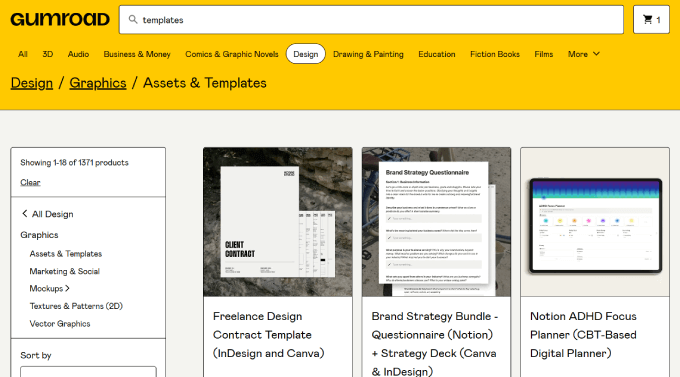
After selecting your template focus, establish your Canva account and begin the creation process.
Step 1: Establishing Your WordPress Platform
To sell Canva templates, you first need to establish a WordPress website. This requires three essential components: web hosting, a domain name, and security certification.
Web hosting provides server space for your website files, while your domain name serves as your online address. Security certification protects data transmission between visitors and your site.
Selecting appropriate WordPress hosting is crucial for your template business. Many hosting providers offer specialized solutions for digital product sales with pre-installed e-commerce functionality.
These services typically include automated WordPress installation, security features, backup systems, and optimization tools.
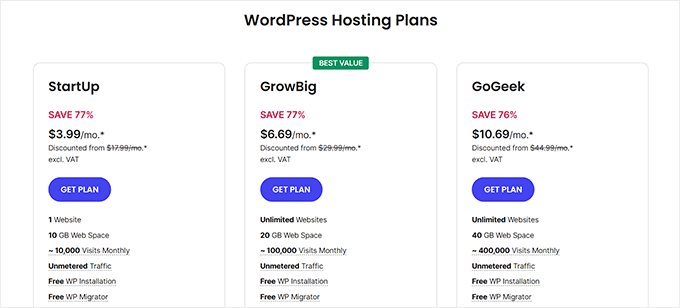
The setup process generally involves visiting your chosen hosting provider's website and selecting an appropriate plan for your needs.
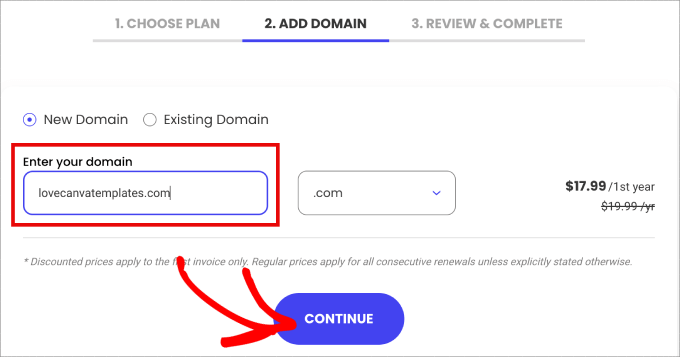
During registration, you'll enter your preferred domain name and proceed through the setup process.
The registration process typically requires account information submission, optional service selections, and payment completion.
After purchase confirmation, you'll receive access instructions via email. The hosting dashboard provides management tools for your website.
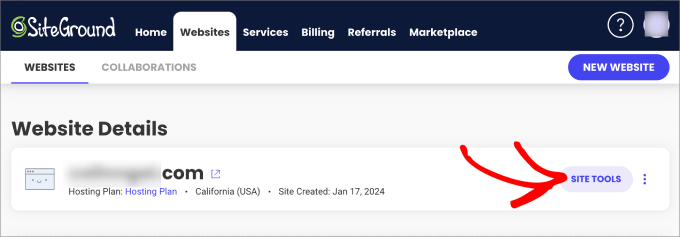
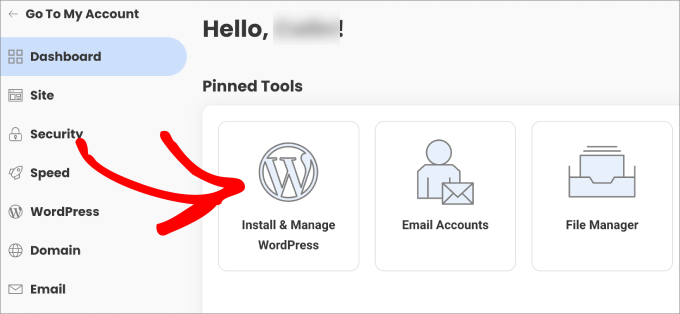
From the management interface, locate the WordPress installation section.
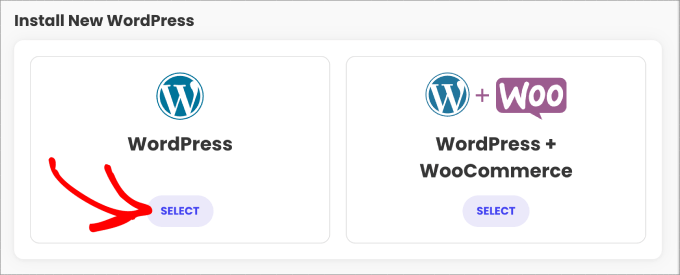
Most hosting providers offer both standard WordPress and e-commerce optimized installations.
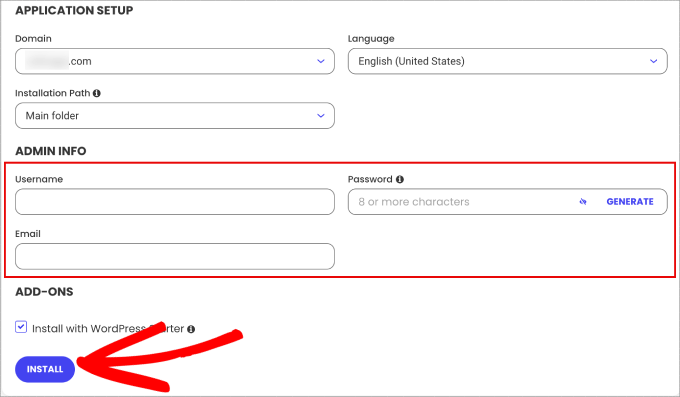
Complete the installation form with your preferred administrative credentials and contact information.
Step 2: Creating Your Canva Template to Sell
Now, you need to go to Canva and log in to your account. Starting on the Canva homepage, you must head over to the 'Templates' tab in the left panel.


