Step-by-Step Guide to Building a Classified Ads Website Using WordPress
By WordPress Experts |
For many years, developers have explored various methods to generate revenue through WordPress websites. While launching an e-commerce store or engaging in affiliate marketing are common approaches, establishing a classified ads platform presents another viable opportunity.
A classified ads website functions as a digital marketplace where individuals can list items they wish to sell, purchase, or exchange. These listings can encompass a wide range of categories, including second-hand furniture, clothing, vehicles, real estate, and various services such as landscaping or pet care.
This comprehensive guide will demonstrate how to construct a fully functional classified ads website using WordPress, following a systematic approach. Whether you're new to WordPress or have extensive experience, this tutorial will enable you to create an intuitive classified ads platform without requiring advanced technical skills.
Benefits of Creating a Classified Ads Website
A classified ads platform enables users to publish listings for products or services they want to sell. Visitors to your website can then review these listings and contact sellers directly to complete transactions.
Website owners can implement various monetization strategies, such as charging commission fees on completed sales or requiring payment for listing submissions. You can also expand functionality to include job postings similar to those found on freelance marketplaces.
Additionally, you can develop a platform specifically designed to meet the needs of your local community for buying, selling, and service discovery. Focusing on a particular niche, such as sporting goods or vintage clothing, can help attract targeted audiences.
This approach simplifies the process for users to conduct transactions from their homes while increasing website traffic. Overall, establishing a classified ads website represents a practical method for generating online revenue.
Now, let's examine the detailed process for creating a classified ads website. Below is an overview of the steps covered in this tutorial:
- Step 1: Select a Website Platform
- Step 2: Choose Domain and Hosting Services
- Step 3: Install WordPress
- Step 4: Select a Suitable Theme
- Step 5: Implement a Business Directory Plugin
- Step 6: Configure Homepage and Navigation
- Step 7: Add Contact Forms
- Step 8: Optimize for Search Engines
- Additional Step: Implement Website Analytics
Step 1: Select a Website Platform
To begin creating a classified ads website, you must first choose an appropriate website platform.
WordPress is widely recommended for this purpose, as it powers over 43% of websites globally. This platform is free, user-friendly, and highly scalable.
It's important to distinguish between two WordPress variants. WordPress.com functions as a hosted blogging platform, while WordPress.org provides open-source, self-hosted software. For detailed comparisons, many resources discuss the differences between these two options.
For a classified ads website, WordPress.org is necessary because it offers complete customization capabilities and compatibility with specialized plugins. Numerous comprehensive reviews are available that detail WordPress features and capabilities.
After selecting your website platform, you'll need to acquire hosting services and a domain name.
Step 2: Choose Domain and Hosting Services
A domain name serves as your website's address on the internet, such as LocalMarketplace.com or CommunityListings.com. This is what users type into their browsers to access your website.
Web hosting provides the server space where your website files are stored and accessed online. Various hosting providers offer specialized WordPress hosting solutions.
While WordPress software is free, costs begin with domain registration and hosting services. Domain names typically cost approximately $15 annually, while hosting plans generally start around $8 monthly.
For beginners, these expenses might seem substantial. However, many hosting companies provide introductory discounts, often including free domain registration and SSL certificates with hosting packages.
Several reputable hosting providers are officially recommended by WordPress and offer competitive pricing for new websites.
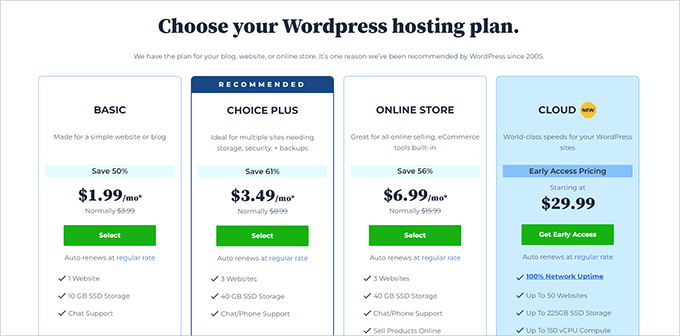
After selecting a hosting provider, you'll typically be directed to a pricing page where you can choose a plan based on your website requirements.
Basic and intermediate plans are commonly selected by new website owners. After making your selection, proceed with the plan activation process.
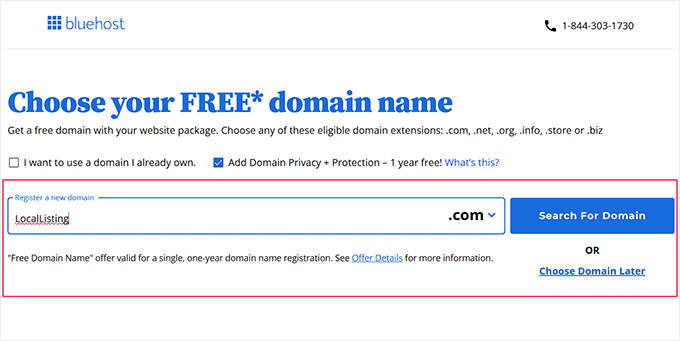
You'll then be prompted to enter your desired domain name. Choose a name relevant to your niche that is easy to remember, spell, and pronounce. Various online tools can help generate suitable business names if needed.
Enter your preferred domain name and check its availability. If available, select it to continue the setup process.
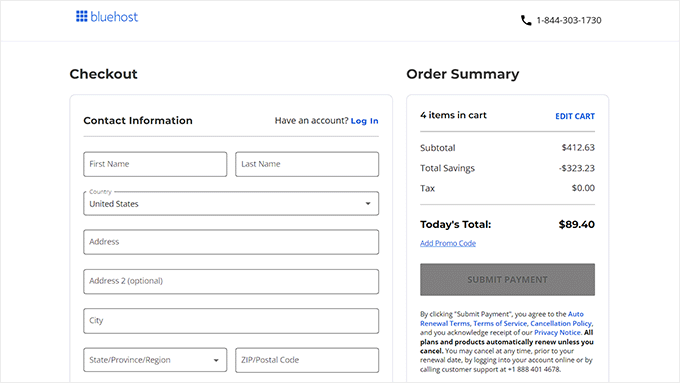
Next, provide your account information, including contact details and business email address. You may encounter optional add-on services during checkout.
Complete the payment process, after which you'll receive confirmation emails with login credentials for your hosting control panel.
This control panel will serve as your primary interface for managing your classified ads website.
Step 3: Install WordPress
After completing your hosting purchase, the next step involves installing WordPress. Many hosting providers automatically install WordPress during account setup.
If you need to create an additional website or install WordPress manually, navigate to the websites section in your hosting dashboard and select the option to add a new site.
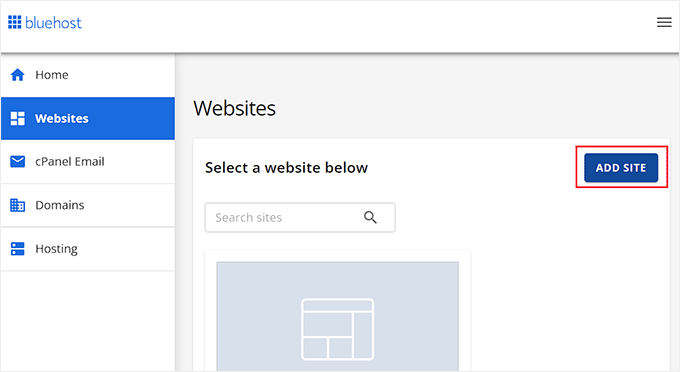
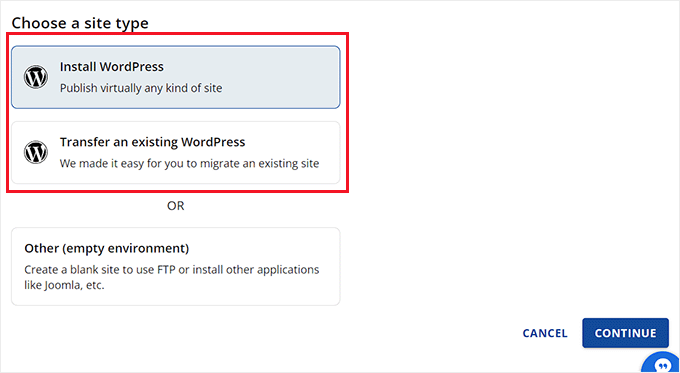
You'll be presented with options for site creation. Select the WordPress installation option for a new website.
If you're transferring an existing WordPress site to a new domain, choose the migration option instead. Then proceed to the next step.
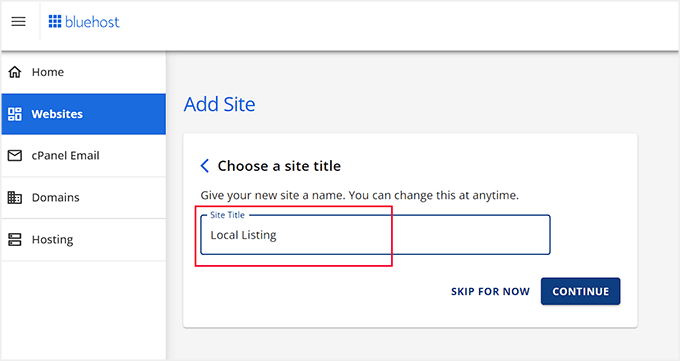
Enter your classified ads website name in the site title field. This title will appear throughout your website and in search engine results.
After entering your site title, continue to the next configuration step.
The installation process will then prompt you to connect your website to your domain name.


