
3 Effective Strategies to Minimize Stripe Payment Fees in WordPress
For online store owners, Stripe offers convenient payment processing for various payment methods. However, the associated transaction fees can accumulate and impact profitability over time.
Many WordPress merchants seek methods to maintain sales while reducing payment processing costs. This guide presents practical approaches to lower Stripe transaction fees without compromising customer experience.
Understanding Stripe Fee Impact on Your Business
Stripe serves as a widely adopted payment gateway within the WordPress ecosystem, providing straightforward integration and support for multiple payment options.
The standard Stripe transaction fee typically consists of 2.9% plus 30 cents per successful credit card transaction in most regions. These charges become particularly significant for businesses with substantial sales volume, directly affecting net revenue.
Consider a WordPress site generating $10,000 in monthly sales through Stripe. The payment processor would collect $290 plus 30 cents per transaction. When numerous small transactions occur, the cumulative effect becomes even more pronounced.
While individual fees might appear minimal, their collective impact can substantially reduce earnings over extended periods. Implementing cost-saving measures enables merchants to retain more revenue, especially for lower-priced products or services.
Alternative payment methods like ACH transfers or Bacs Direct Debit can provide substantial savings while maintaining customer satisfaction. The resulting financial benefits can be redirected toward business growth initiatives, marketing efforts, or platform enhancements.
Below are three practical methods to reduce Stripe transaction fees within WordPress environments.
- Strategy 1: Implement ACH Payment Processing (U.S. Customers)
- Strategy 2: Enable Bacs Direct Debit Payments (UK Customers)
- Strategy 3: Utilize Advanced Payment Plugins (Global Customers)
- Additional Consideration: Transferring Payment Processing Fees
- Common Questions About Stripe Fee Reduction
Strategy 1: Implement ACH Payment Processing (U.S. Customers)
For businesses operating primarily within the United States or serving American customers, accepting ACH (Automated Clearing House) payments presents a viable fee-reduction opportunity.
Unlike standard Stripe credit card transactions with percentage-based fees, ACH payments typically incur a flat fee of $0.80 per transaction, with a maximum charge of $5 regardless of transaction amount. This structure proves particularly advantageous for higher-value purchases.
For example, a $1,000 purchase processed through standard Stripe would incur approximately $29.30 in fees. The same transaction via ACH would cost only $5, resulting in immediate savings of $24.30. For businesses with numerous high-value transactions, these savings accumulate significantly.
It's important to note that ACH payments typically require 3-5 business days for clearance, unlike instant credit card transactions. Merchants should await payment confirmation before fulfilling orders or providing services.
The following section outlines implementation methods for WordPress payment forms and WooCommerce stores.
Creating WordPress Payment Forms with ACH Capability
For membership sites or businesses with limited product offerings using payment forms, specialized plugins can facilitate ACH payment integration.
Many experienced developers recommend dedicated payment form plugins that support ACH transactions. These solutions typically offer intuitive form builders, pre-designed templates, and security features.
Step 1: Install and Activate Payment Plugin
Begin by installing and activating a compatible payment form plugin. Detailed installation guidance is available in standard WordPress plugin installation documentation.
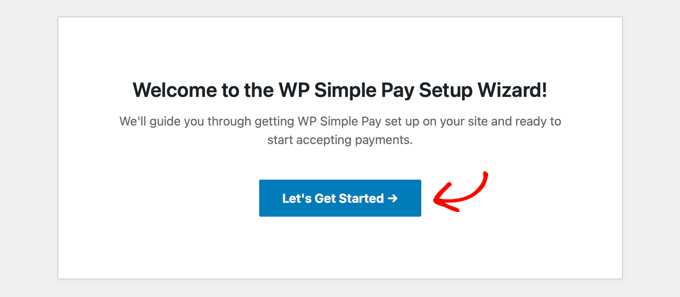
Following activation, a setup wizard typically appears. Proceed by selecting the appropriate initiation option.
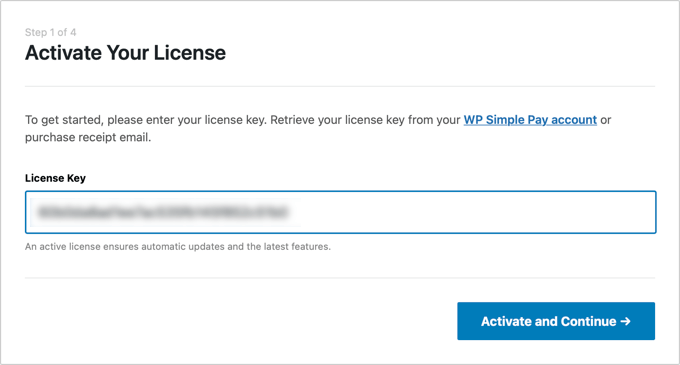
Enter the required license key, typically available within your plugin account dashboard, then proceed with activation.
Step 2: Connect Your Stripe Account
Establish connection between your payment plugin and Stripe account. Most plugins require this integration for proper functionality.
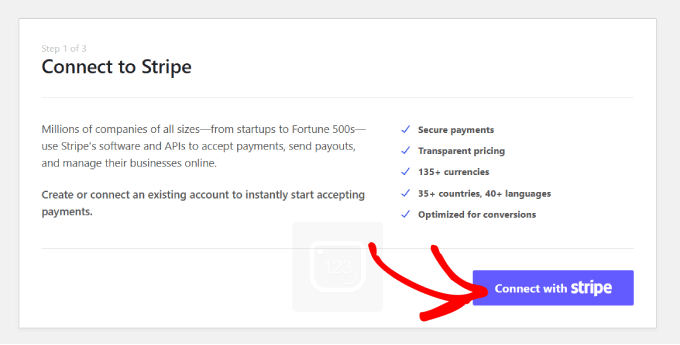
Select the Stripe connection option and authenticate using your existing Stripe credentials. This process typically follows standard Stripe integration procedures.
Complete any remaining configuration settings according to your business requirements.
Step 3: Create a New Payment Form
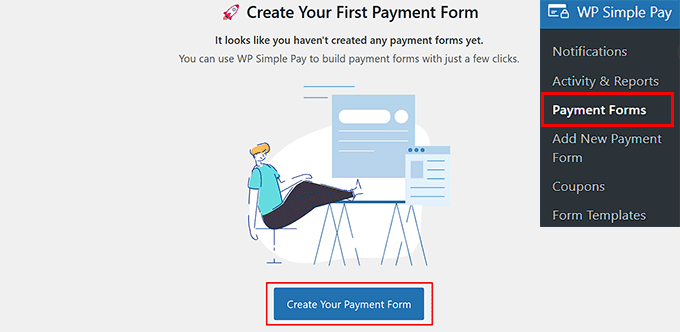
Navigate to the payment forms section within your WordPress dashboard and initiate form creation.
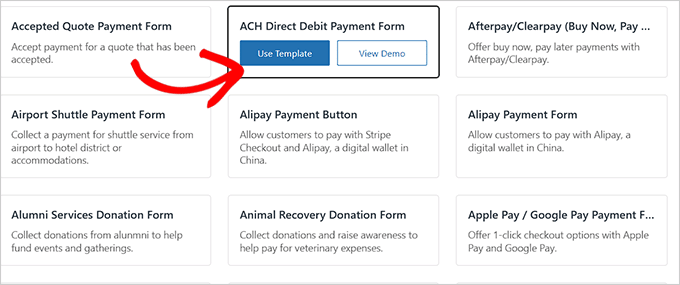
The template selection screen displays various pre-designed form options. Locate and select the ACH Direct Debit payment form template.
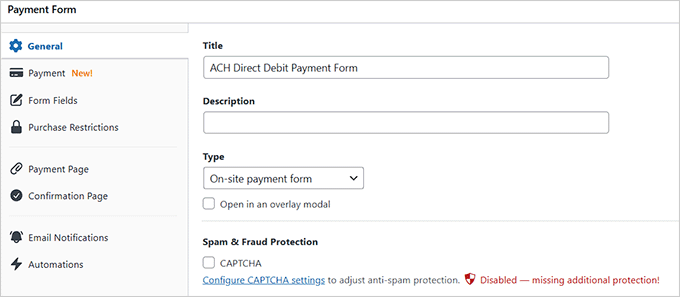
Proceed to the form creation interface where you can specify form titles, descriptions, and configuration details. Ensure the form type is set to on-site payment processing.
Step 4: Configure Payment Rates and Methods
Access the payment configuration section to establish tax collection preferences and pricing structures.
Define product or service pricing within the form interface. For subscription-based offerings, select the appropriate subscription option and establish pricing tiers as needed.